


Price: $135.00 - $121.50
(as of Feb 14,2025 11:39:30 UTC – Details)
Buy Now
Product Description
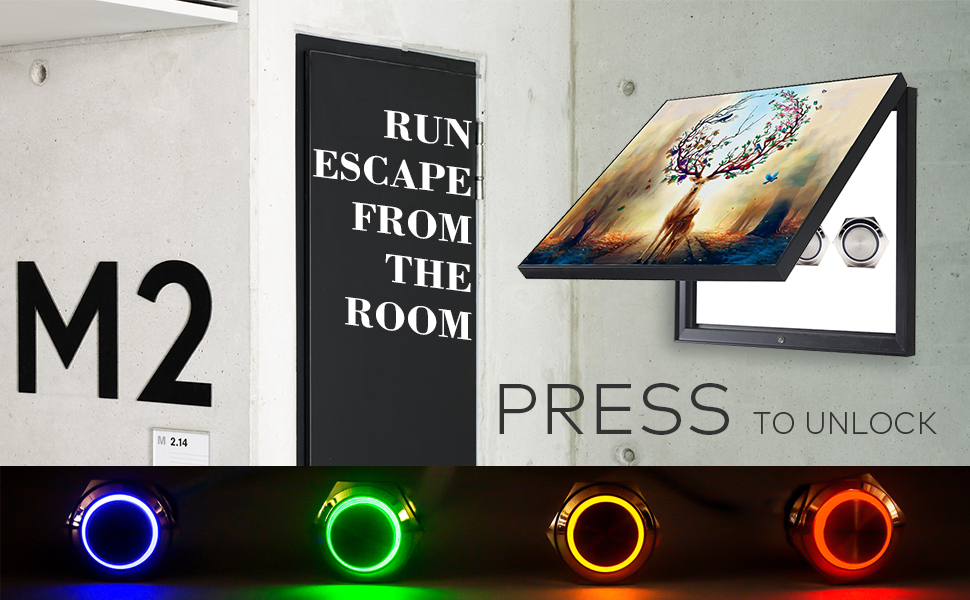
ROOM ESCAPE ADVENTURE — 4 COLORS METAL BUTTON PROPS
There is one controller connected with n(n:1-10, depends on the model) metal buttons. When the users press the buttons in the right sequence or simultaneous, the props will be triggered and the door lock will be opened. The pressing sequence could be customized.
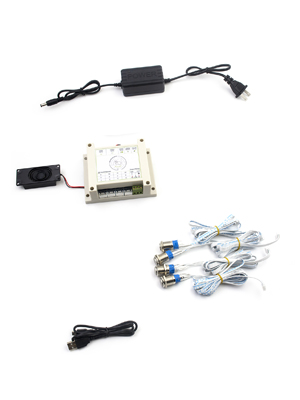

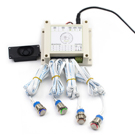
CONTROLLER
DC 12V Power Port
Setting Button
DIP Switch (Modify the playing mode and reset mode)
Speaker
External Audio Output Port
USB Interface (Modify the voice files)
Input Channels
Output Wiring Interface
PACKING LIST
1 x Controller (with Speaker)
4 x Metal Buttons(with LED)
1 x 12V Power Adapter
1 x USB Cable
1 x User Manual
Support owner revise the game mode: Simultaneous Version and Sequence Version.
Support owner revise the trigger sequence of your own.
Support users to change audio content, audio format is MP3, no more than 16M.
The quantity of metal buttons can be increased, up to 10 buttons.
There are red/ orange/ blue/ green 4 color metal buttons for choice, depending on your preference or the theme of secret room, press the button to light it up.

HOW TO CONNECT 12V ELECTROMAGNETIC LOCK
1. The red wire of the electromagnetic lock should connect to NC port of the controller. The black wire of the electromagnetic lock should be connected to COM port of the controller.
2. The props just support 12V electromagnetic lock, if the voltage exceeds 12V, it will not work properly.
Tips: Props do NOT include electromagnetic locks, please provide your own.
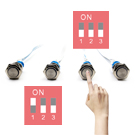
HOW TO PLAY
There are 2 kinds of playing modes in these props: Simultaneous mode and Sequence mode, it is easy to switch the playing modes by the settings switch.
Simultaneous mode
Players need to press all the buttons at one certain point of time, the props will be triggered and the door lock will be opened.
Sequence mode
Players need to press the buttons one by one in the correct order, then the props will be triggered and the door lock will be opened.
MODIFY THE PLAYING MODE
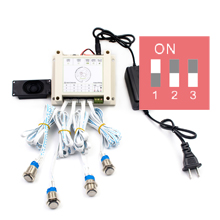
Switch the 1# settings switch to modify the playing mode.
Sequence mode: 1# up
Simultaneous mode: 1# down
Notice: Please modify the playing mode when the controller is turned off
HOW TO RESET
There are 3 ways to reset the props.
1. Automatically reset mode
Waiting for 1 minute to automatically reset after successful trigger.
2. Real Time reset mode
Sequence mode – After triggering successfully, press the buttons one by one again in the correct order again to reset.
Simultaneous mode – Press any button again to reset.
3. Manual reset
Re-power the controller to reset.

MODIFY THE RESET MODE
You could modify the reset mode with settings switch (next to the power port). Then restart the controller and the reset mode will take effect.
Automatically reset mode: 3# up
Real Time reset mode: 3# down

MODIFY THE VOICE FILES
1. Insert the USB cable to the controller, and connect the controller to your PC.
2. Open the removable disk shows in the PC, backup all the original files in the controller.
3. Replace the original file with your favorite sound file (no more than 16M), the path and the file name cannot be changed, the audio file format must be in MP3 format.
4. If you want to format the removable disk, please format it to FAT format only. Please do not format it to FAT32, exFAT or NTFS format.
MODIFY THE TRIGGER SEQUENCE IN SEQUENCE MODE
STEP 1
Power off the controller and modify the playing mode to sequence mode (1# UP).

STEP 2
Keep holding the settings button (Next to the power port) and power on the controller until you hear the voice prompt then you can release the button.
STEP 3
Listen to the voice prompt and wait for the voice prompt to end.
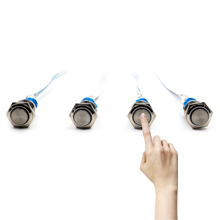
Press the metal buttons one by one with the order you want to set. Each button could be pressed multiple times. That means that 1-2-3-4 and 1-2-3-4-4 are in a different sequence, because button #4 is pressed twice. The controller supports up to 32-bit password.

STEP 4
Press the settings button again to save the sequence.
The controller will reboot automatically and then you could test the settings.
MODIFY THE TRIGGER CHANNEL IN SIMULTANEOUS MODE
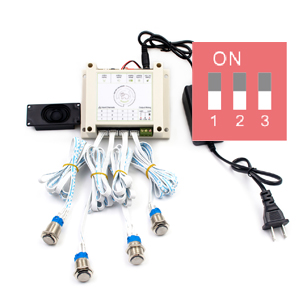
1. Power off the controller. Modify the playing mode to simultaneous mode.
2. Then keep the same procedure of sequence mode. The only difference is one button could press only once. If you pressed 1-2-3-4, that means button 1,2,3 and 4 need to be pressed at same time in simultaneous mode. You could disable any button by do not press the button in settings procedure.
3. Press the settings button again to save the sequence. The controller will reboot automatically and then you could test the settings.

WHAT’S ESCAPE THE ROOM
Escape The Room puts players in a real-life escape game where they must work together in a race against the clock to solve a series of increasingly challenging puzzles.
Teamwork
Designs all foster a natural need for players to share their ideas. Everything from the puzzle design makes it a necessity for players to naturally collaborate and become the spark for a new perspective to tackle the situation.
Puzzles
An escape game wouldn’t be a fun game without a challenge. However, the puzzles should be a test of wits and teamwork.
There are Simultaneous Version and Sequence Version two play modes, support owner change the game mode. In the Sequence Version Play Mode, owner can revise the trigger sequence by yourself, and it is easy to operate step by step refer to the manual.
4 DIFFERENT COLORS LIGHT. There are 4 colors of the metal buttons: red, yellow, blue, green lights will be light up when it was pressed.
CONTROL 12V ELECTRIC MAGNETIC TO UNLOCK. Connect 12V EM lock, The red wire of the EM lock should be connected to NC port of the controller. The black wire of the EM lock should be connected to COM port of the controller.
There are 3 ways to reset, owner can choose the suitable reset method to set in advance.
Support users to change audio content, audio format is MP3, no more than 16M.
Buy Now